Candidate list
1 min de lectura
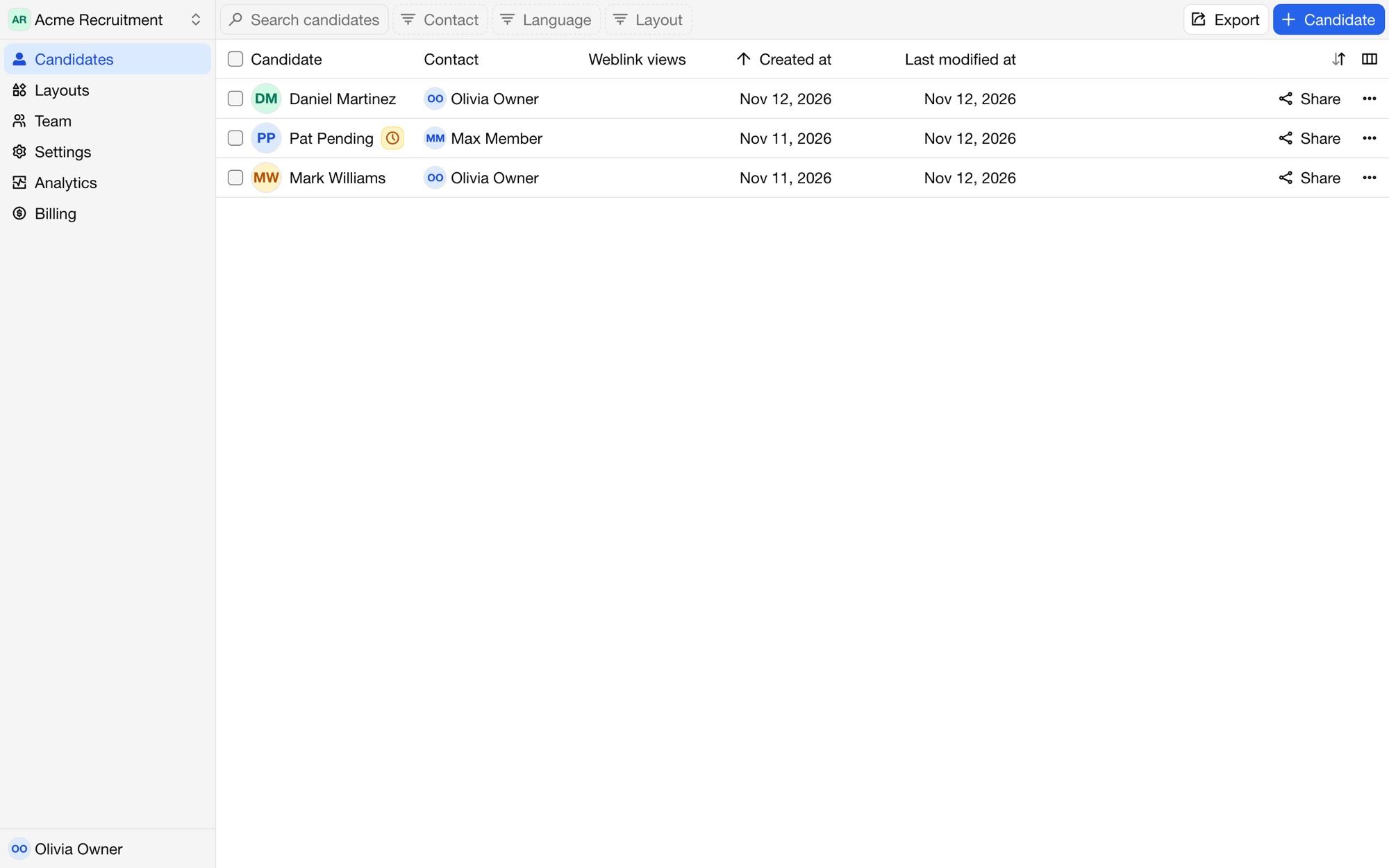
The Candidates page lists your organization's candidates. Click a candidate to open it in the editor.
Searching, filtering and sorting
Search finds candidates by their content, such as their name.
Filter by Contact, Layout and Language. The contact filter offers yourself and Unassigned too.
Sort by clicking a column header, such as Created at or Last modified at.
Show or hide columns: Contact, Layout, Language, Weblink views, Created at and Last modified at.
Save a combination of search, filters, sorting and columns as a view, to come back to it in one click.
Candidates from your ATS
Candidates linked to your ATS show Synced with your ATS. A pending candidate shows Not activated yet: open it and click Activate candidate to use a credit and start editing.
Deleting candidates
Select candidates with the checkboxes and click Delete. To delete one candidate from the editor, open its menu and choose Delete candidate. Deleted candidates are removed permanently after a day; until then, their weblinks keep working. See also automatic deletion.
Exporting the list
Click Export to download the candidates as CSV, TSV, SSV or JSON. The current filters and sorting apply. The export has each candidate's id, name, contact, layout, language, status, dates and the secrets that make up their proposal URLs, so keep the file private.