Building blocks
2 min de lectura
Each section of a layout is built from elements. Select an element in the tree or on the canvas to change it in the Element tab of the sidebar.
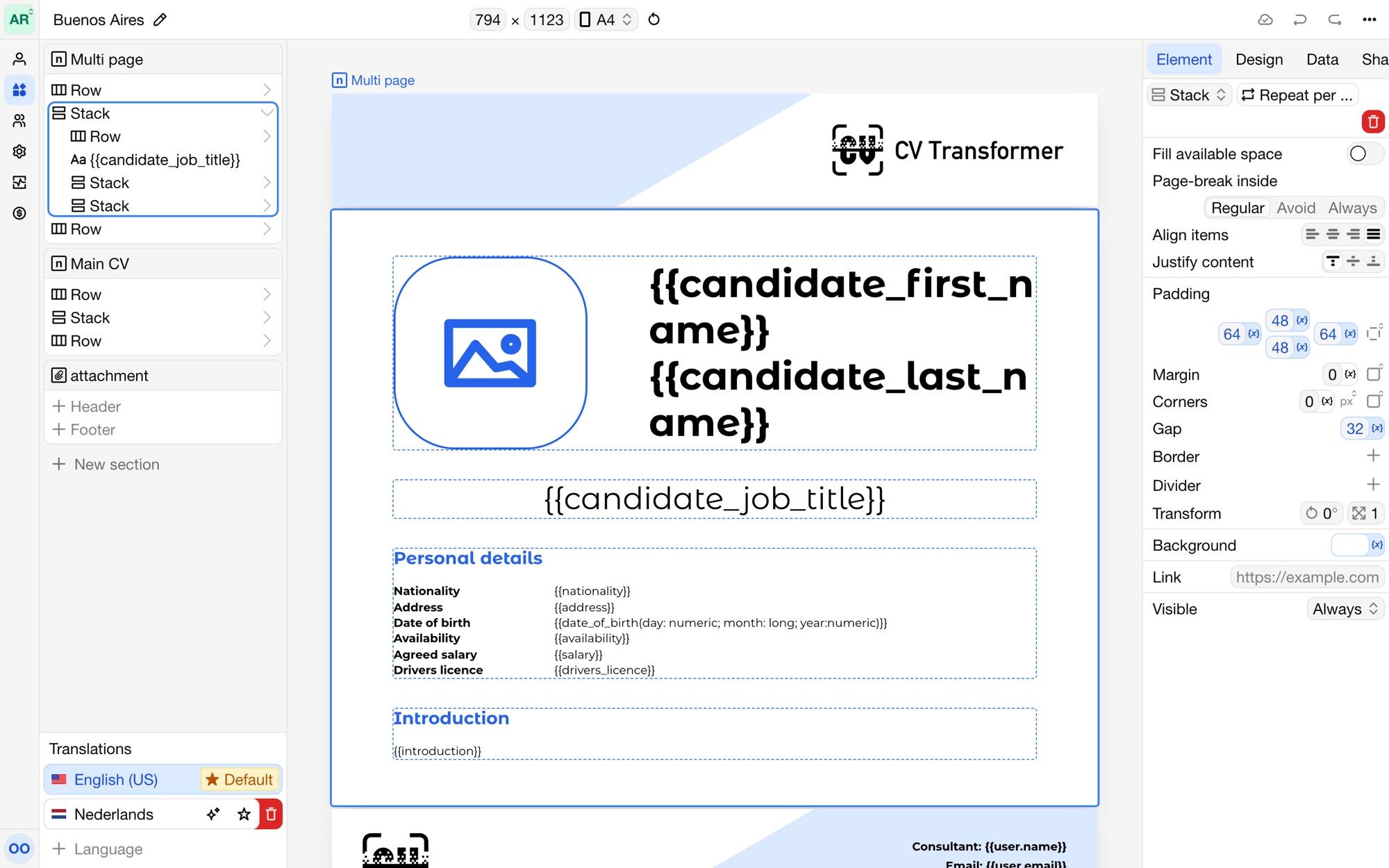
Element types
Stack: places its elements below each other.
Row: places its elements next to each other, in columns with a width you set.
Wrapping row: places its elements next to each other and continues on the next line when they don't fit, such as a list of skills.
Text: text that can include variables, such as
{{name}}.Concatenation: joins the values of a list into one line, with a prefix, separator and suffix, such as
English, Dutch and German.Image: a fixed image, such as your logo, or an image variable, such as the candidate's photo.
List: repeats its element for every item of a list variable, such as every work experience.
Rating: shows a rating variable as a bar, circles, stars or your own image, such as a language level.
Change an element's type with the type selector at the top of the Element tab. To show a list variable, create a list element for it; its element is repeated for every item.
Inside lists
Within a list, {{item.…}} refers to the current item, such as {{item.title}} and {{item.company}} for a work experience. {{parent.…}} refers to the item one list up, for lists within lists.
Element settings
Depending on its type, an element has:
Align items and Justify content: how the elements inside are placed.
Gap between the elements inside, and a Divider line between them.
Fill available space: the element grows to fill the space left.
Padding, Margin, Border and Corners.
Background: a color, a gradient or an image.
Transform: rotate or scale the element.
Link: makes the element clickable in the PDF and web version.
Page-break inside: Regular lets the element continue on the next page, Avoid keeps it on one page when it fits, and Always starts a new page after each element inside, such as one work experience per page.
Visible: when the element shows. See Conditional content.
Text elements also have a text style, color and alignment. Images have an Aspect ratio and a Fit: Cover fills the space and crops, Contain shows the whole image. Ratings have a Style and a Foreground and Background color.