Web version and PDF export
1 min čtení
The Sharing tab of the layout editor sets how proposals made with the layout are downloaded and shared.
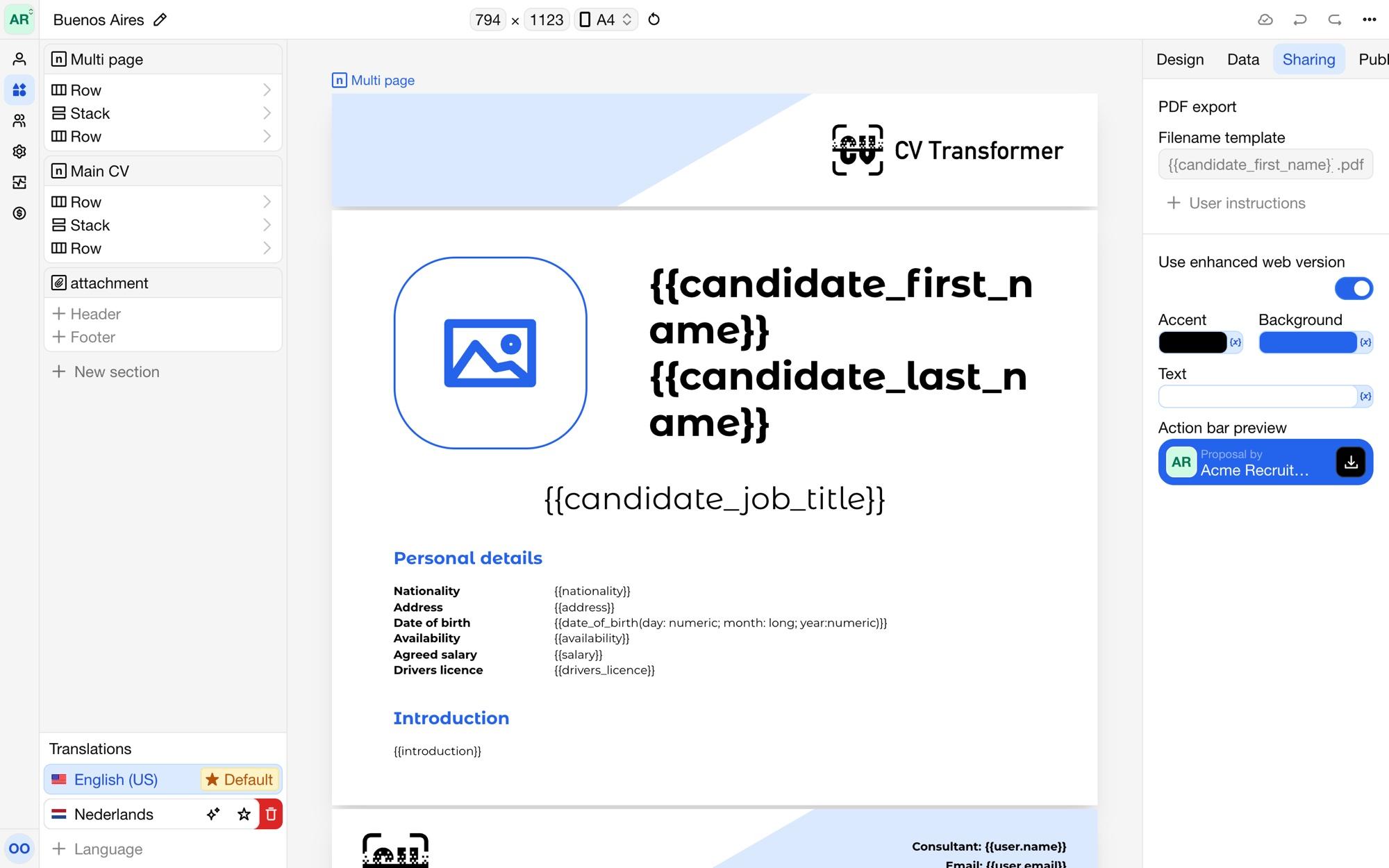
PDF export
Under PDF export, the Filename template sets the name of downloaded PDF and Word files. Use variables, such as {{name}} - {{job_title}}. Without a template, files are named after the candidate. Recruiters can change the filename when they share a proposal.
Web version
Turn on Use enhanced web version to show weblinks as a web page made for screens, instead of the PDF pages. It has an action bar with a Download PDF button and, depending on Proposal by, the organization or the candidate's contact. Set its Accent, Background and Text colors to match your branding; Action bar preview shows the result.
Elements can show in the web version only, or in the PDF only, with the Web version and PDF version conditions. See Conditional content.
User instructions
Add User instructions to tell colleagues how to share proposals made with this layout, such as which version to send to which client. They show in the share dialog of each candidate with this layout.